eLucive product · Available now

Albo

Payroll and HR on your own server, by your own rules

Every employee, every month: pay worked out from your own rules, checked by a second person before it posts, with the payslips, bank files and statutory returns that follow. It runs on your own server, so your payroll never leaves the building.

Worked out and filed every month

  • PAYE
  • NAPSA
  • NHIMA
  • Skills levy
  • Workers' Compensation
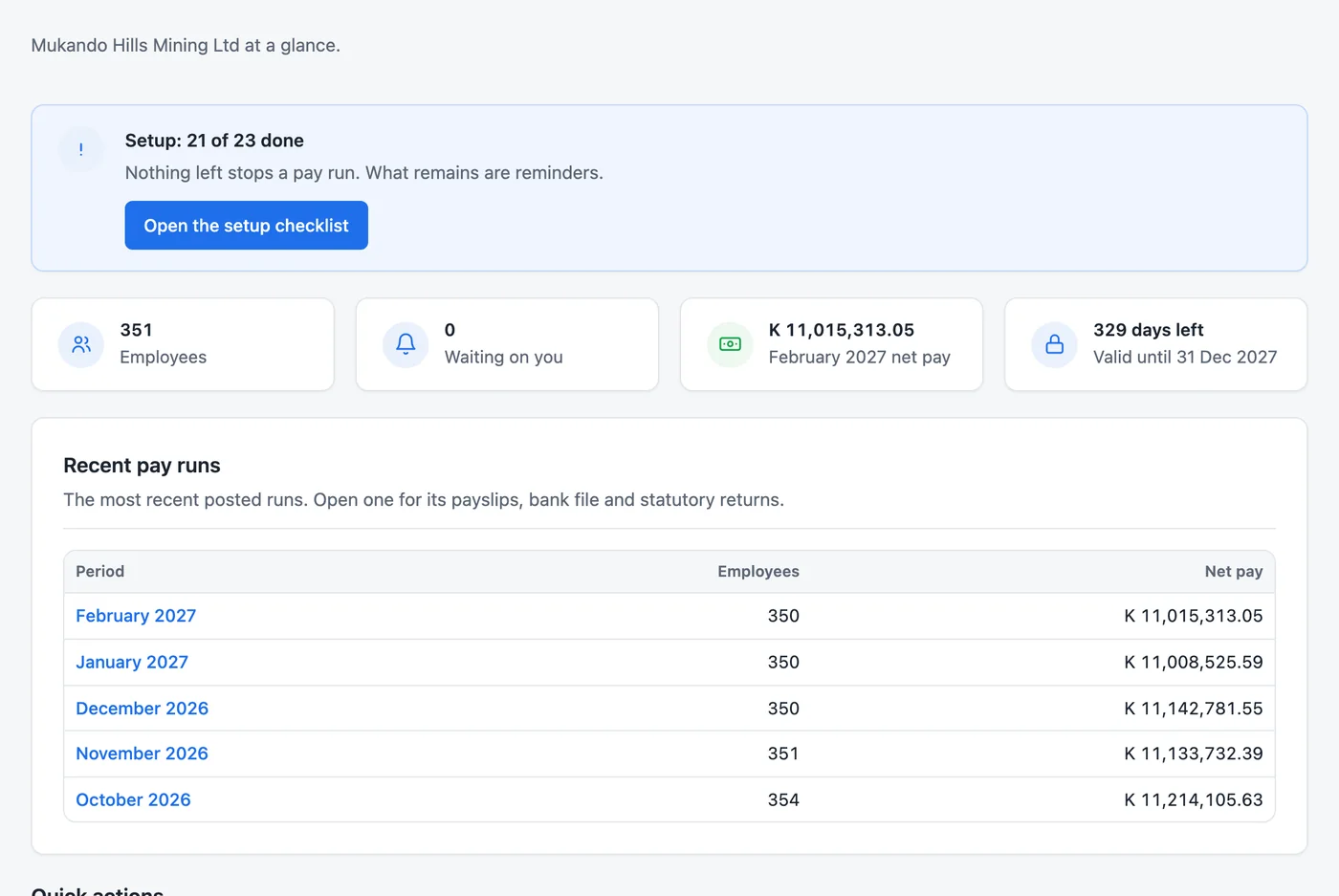
The Albo dashboard for a sample mining company: 351 employees, February's net pay, and the last five pay runs.

A look inside

The Net Pay Calculator works out one person for one month. Albo does the whole company, every month, the same careful way, whether you pay fifty people or fifty thousand. Real screens from Albo, with a sample company's made-up staff.

Your pay rules, written as formulas

Every allowance and deduction carries a formula over basic pay, grade, days worked, hours, shifts and years of service. A housing allowance by grade, a shift allowance by the hour, a long-service bonus: each is set up once and worked out every month. Test a formula against sample figures before a run uses it.
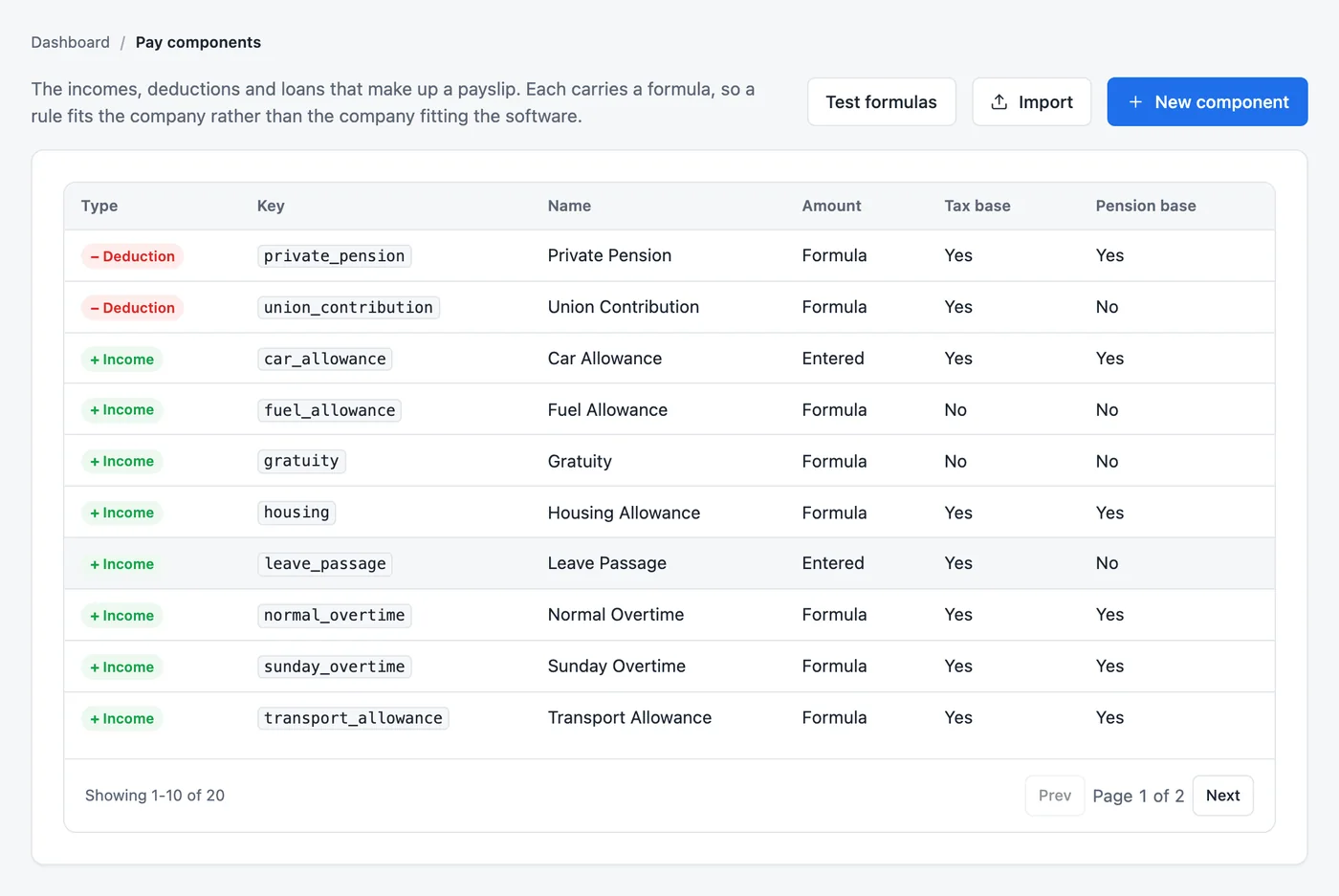
The pay components list: housing, transport, fuel and car allowances, overtime, gratuity, union contribution and private pension, most worked out by formula.

Tax rates nobody has to type

PAYE bands, NAPSA, NHIMA, the skills levy and the Workers' Compensation rate arrive in rate packs from eLucive, signed so they cannot be altered and effective from the day the law changes. When the budget moves the bands, you install the pack and the next run uses it. Each month's returns are ready to download and file.

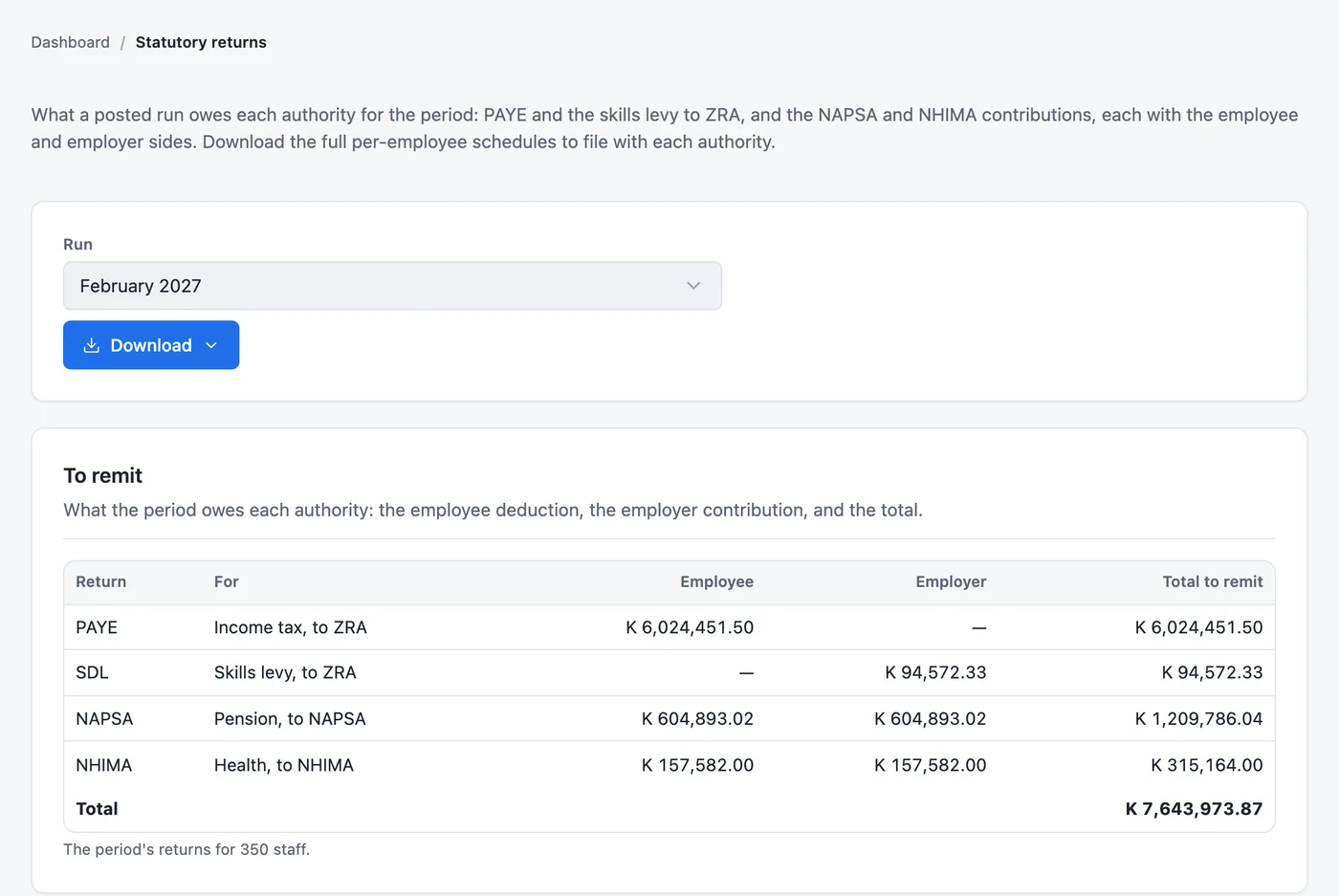
February's statutory returns: PAYE and the skills levy to ZRA, NAPSA and NHIMA, each with the employee and employer sides and the total to remit.

Approved before it posts, final once it does

A run stays a draft until someone other than the person who prepared it approves it. Once posted it is never edited: a mistake is put right with a reversal or an adjustment run, and the history shows who did what and when.

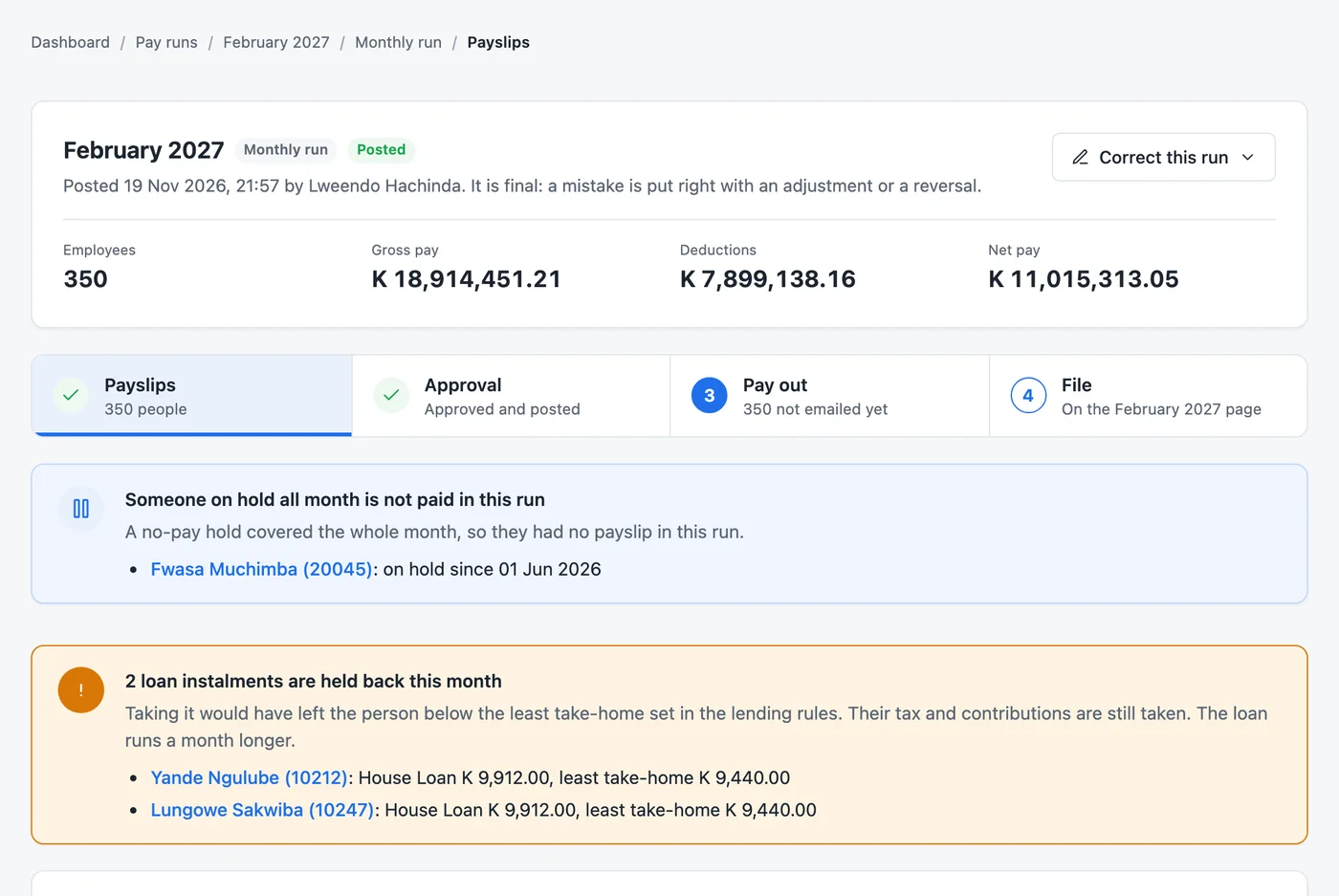
A posted February run for 350 employees with its four steps, payslips, approval, pay-out and filing, and notes on a person on hold and loan instalments held back.

Every employee on one page

Grade and pay, bank details, leave, loans, payslips and every change ever made, for each person. Bring your staff in from a spreadsheet with their year-to-date pay and tax, and start in any month of the year.

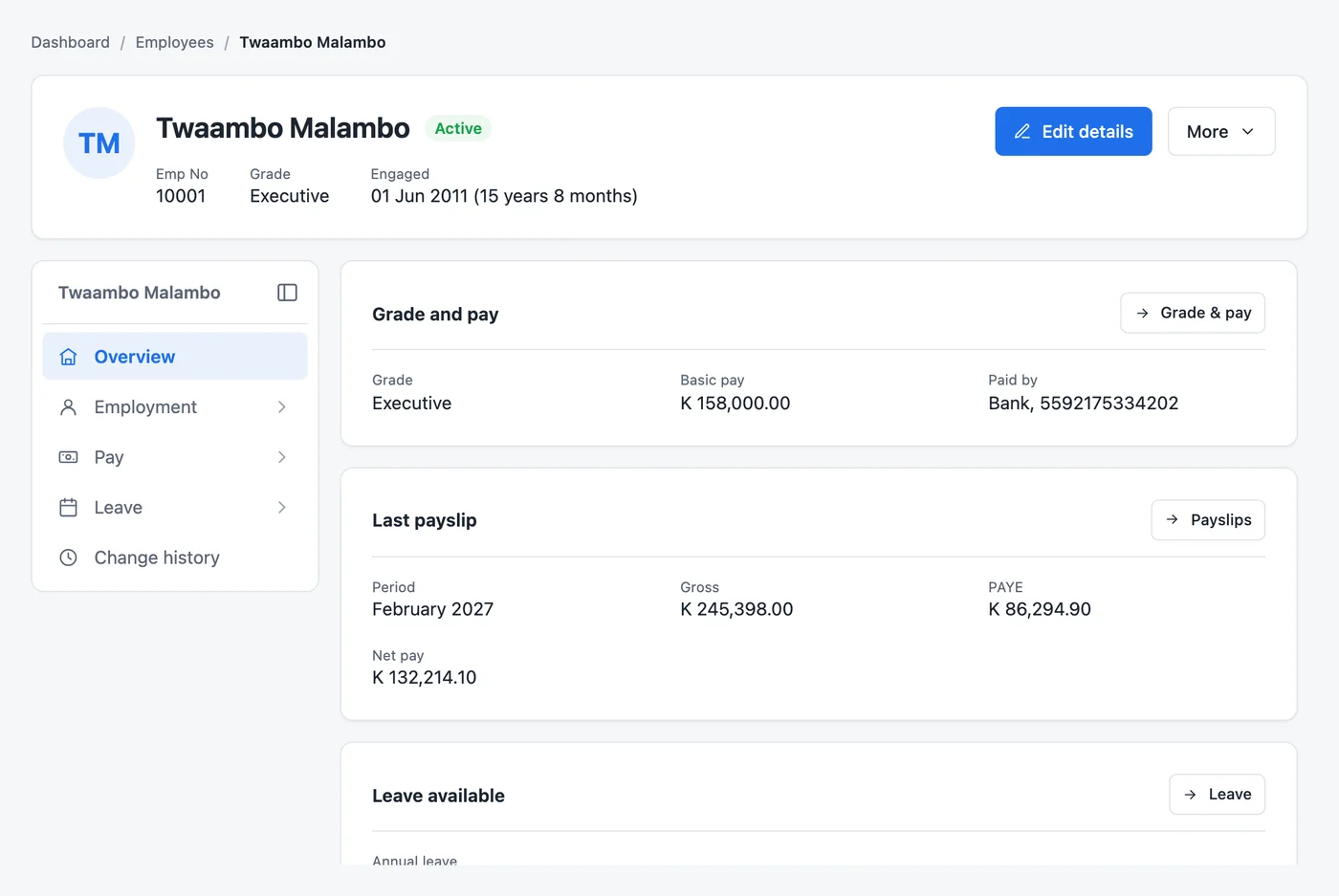
An employee's page: grade, basic pay, bank, the last payslip with gross pay, PAYE and net pay, and leave available.

The rest of the payroll year

Payslips and bank files

Payslips as PDF or by email, and the payment file for your bank, straight from the posted run.

Leave

Leave types, balances, requests and approvals, public holidays, and the close of the leave year.

Loans and advances

Staff loans with their schedules, recovered on the payslip, within lending rules that protect take-home pay.

Leavers

Terminations and retirements settled with their terminal benefits, in the run they belong to.

Payroll journal and reports

Each posted run as a journal for your general ledger, plus cost by unit, coinage for cash pay and group totals.

Roles and a full history

Sign in with Active Directory if you use it. Each role sees only what it should, and every change is kept.

From first call to first payday

  1. A demo. First with a sample company, then with a few of your own pay rules.
  2. Set-up. We install Albo on your server, set up your pay components with you, and import your staff and their year-to-date figures.
  3. A parallel month. Run Albo beside your current payroll and compare every payslip.
  4. Go live. With training for the people who prepare, approve and post.

Who it is for

  • Companies from 50 staff to tens of thousands
  • Mines, manufacturers, farms and others with complex pay agreements
  • Payroll teams moving off an old payroll system
  • Organisations that keep payroll data on their own servers

See Albo with your own pay rules

Tell us a little about your payroll and we will set up a demo, at your office or online.

eLucive Software Solutions · Lusaka, Zambia